
Member Profile Tutorial
A Step by Step Visual Guide to Help You
Complete Your Member Profile!
*Tutorial Provided via Desktop
Step 1:
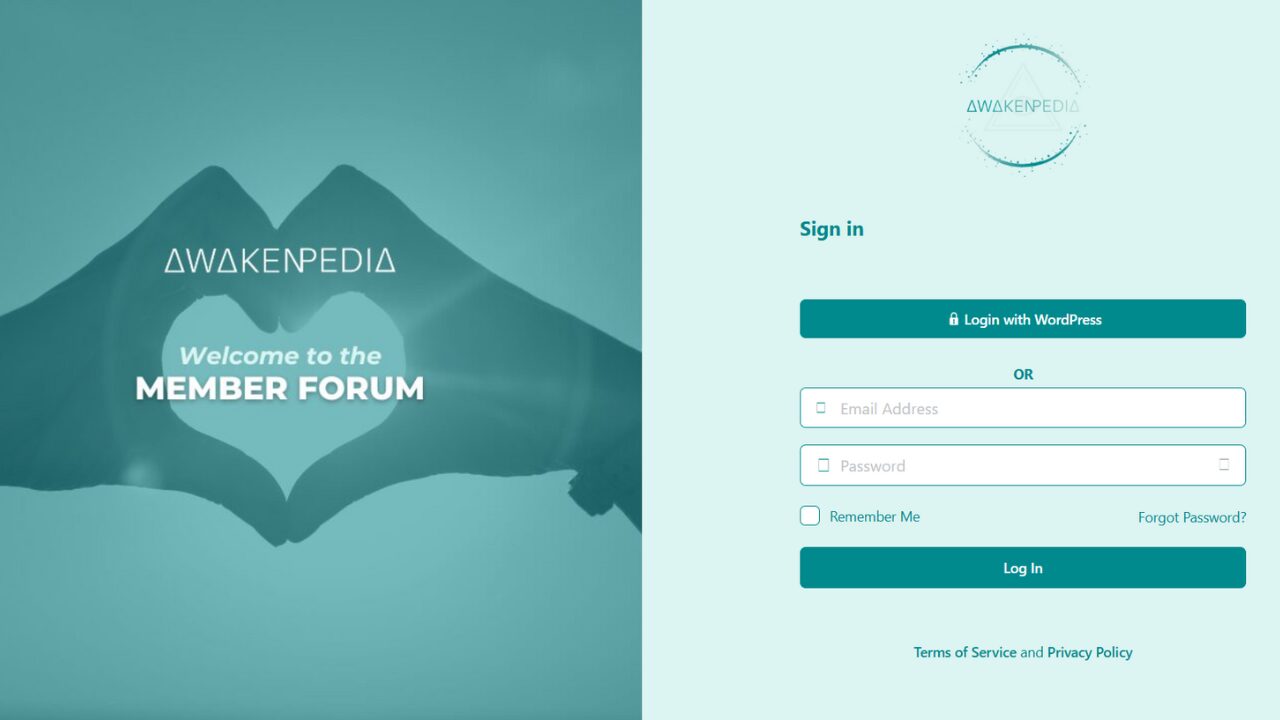
Login to the Member Forum
- You will create your Member Profile inside our Member Forum, where it will live!
- This is where you’ll connect, message, and discover partners, services, events, & more!
Step 2:
–> Edit Your Profile
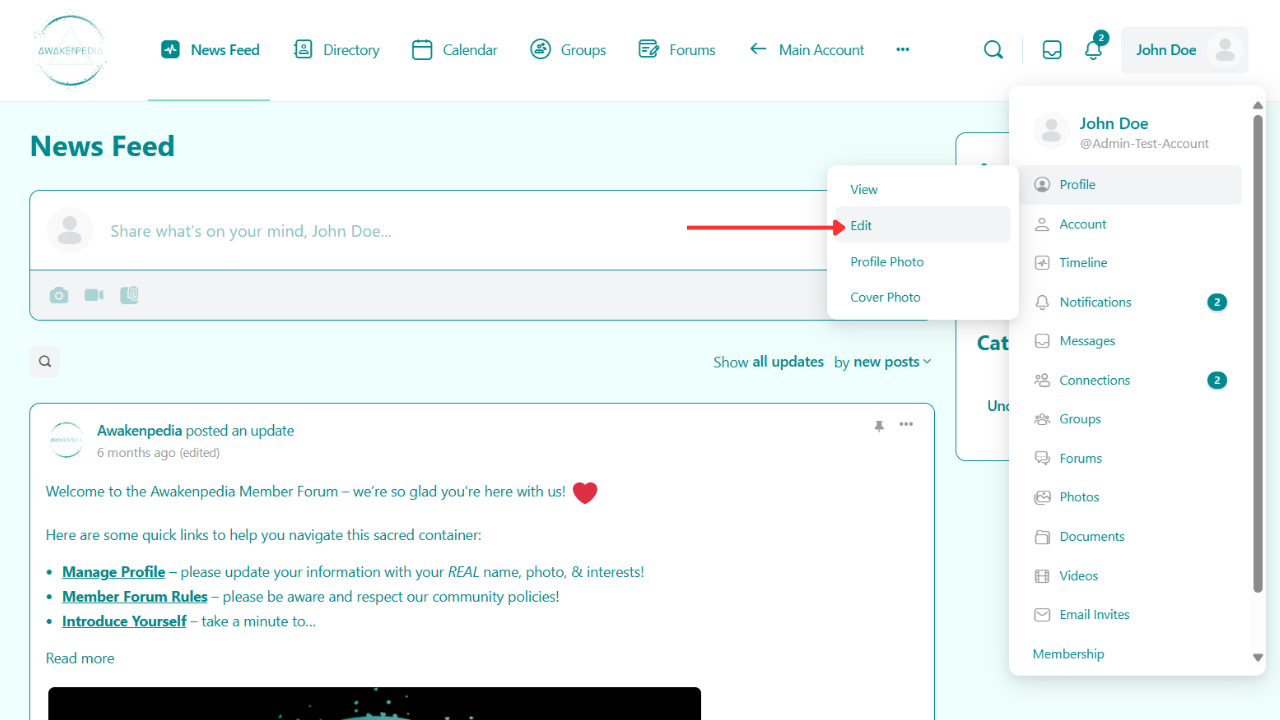
- Click your Name in the top right corner
- Hover over “Profile”
- Click “Edit”
Step 3:
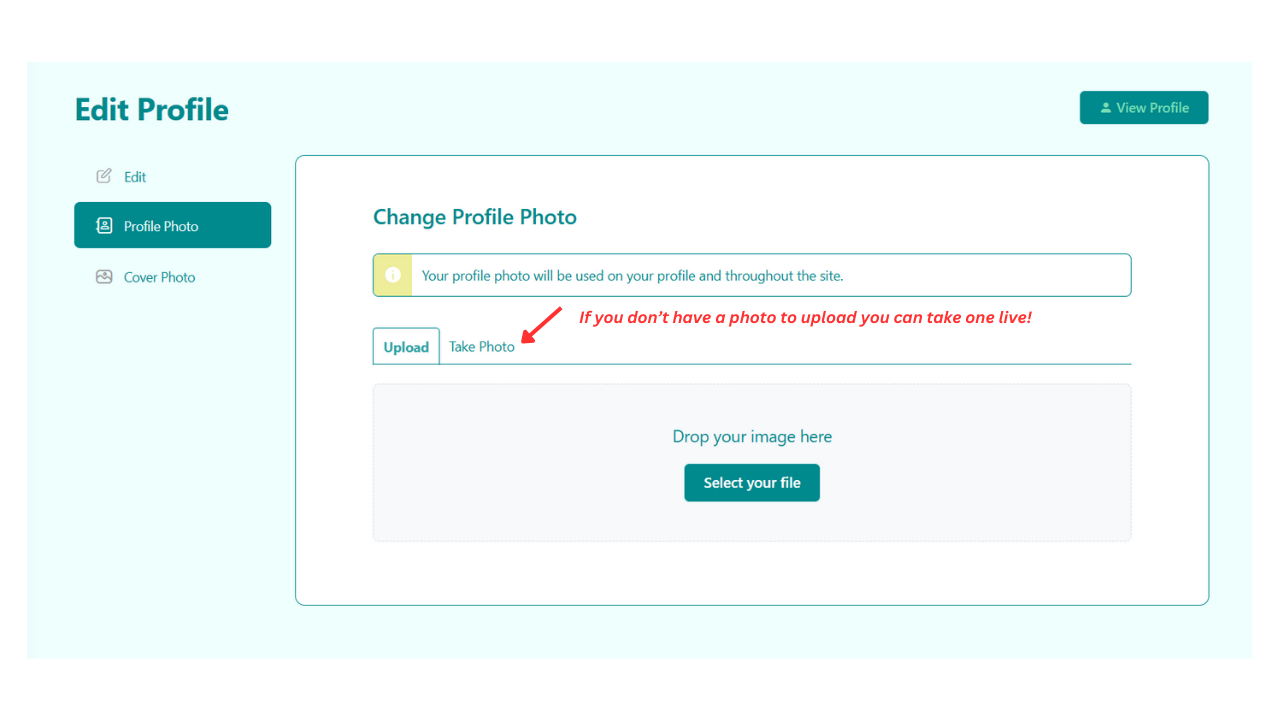
Add Your Profile Picture!
- Upload a high quality picture of your face (recommended: 250px by 250px)
- If you don’t have a photo to upload you can take one live right where you are!
Step 4:
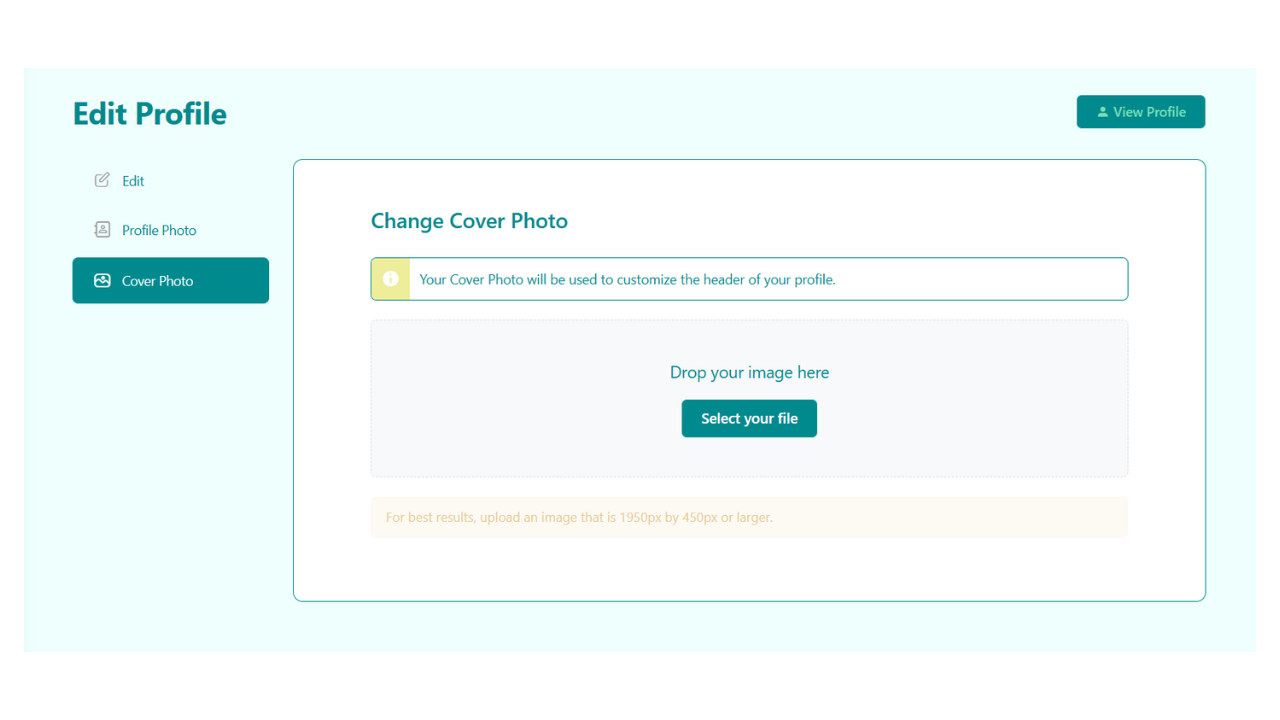
Add a Cover Photo!
- Upload a high quality cover photo (min size recommended: 1950px by 450px)
- If you don’t have one that’s totally okay! We add a cool default one for you 🙂
Step 5:
Add Your Personal Details
- Your Firstname
- Your Lastname
- Your Nickname
- A Short Introduction
- a Fun Fact about Yourself

Step 6:
Select Your Modalities & Struggles
- Select the Modalities that you have an interest in, want to experience, or want to go deeper in!
- Select the Health Issues / Life Challenges that you are currently struggling with & want help for
- Select if you would like to be personally introduced to Premium Partners that match your criteria!
- Please note that you can “opt-out” of this at anytime by switching your choice to “No”

Step 7:
Share Your Affordability
- Select ALL of the price ranges that you can afford to invest into sacred work (on a monthly basis)
- i.e. if you can afford over $500 a month you would select all of the options
- i.e. if you can only afford up to $100 a month you would only select:
- Free, Donation, up to $50, and $50-100
- IMPORTANT: Most of our Partners extend these sacred offerings fulltime for a living & rely on your investments to survive as a human
- we greatly appreciate you recognizing the time, effort, and value our partners offer you in this community. Being willing and able to invest into their offerings through fair energy exchange will assist your healing & awakening journey and will deepen the commitment you make to yourself on this path. Our partners greatly appreciate your financial support, as this is notoriously an industry in which many people expect facilitators to work for free without regard for their wellbeing and sustainability. We are trying to help do what’s right and correct the energy imbalance. Thank you in advance for understanding and for your contributions to support their work.

Step 8:
Add Additional Info
- Your Location
- Your Language(s)
- Your Gender Category
- Your Age Category
- Virtual Platform(s)
- Social Media Links

Step 9:
Share Your Intro!
- Share your Introduction (from Step 5) on the News Feed so that everyone can meet you!
- You can just copy and paste it right into the box and then click “Post”.
- If you would like, you can also record and upload a short Intro Video to the News Feed
- Introduce yourself as a New Member by sharing a bit about your journey and why you’re here!
- there is no time limit on this, but we recommend you keep it under 5 minutes
- please keep the file size under 150MB otherwise it might fail to upload!
- Reduce your video file size with this 100% Free Video Compressor!
- If you can’t upload it, please send the file to support@awakenpedia.com
- Introduce yourself as a New Member by sharing a bit about your journey and why you’re here!
- Your uploaded Intro Video will be added to your Member Profile under “Videos”
- This is a powerful way to express your vibe and match with members & partners that resonate!


Need Help?
Reach out if you have any questions 🙂